forScore 15.1Available Now
Better with a Band
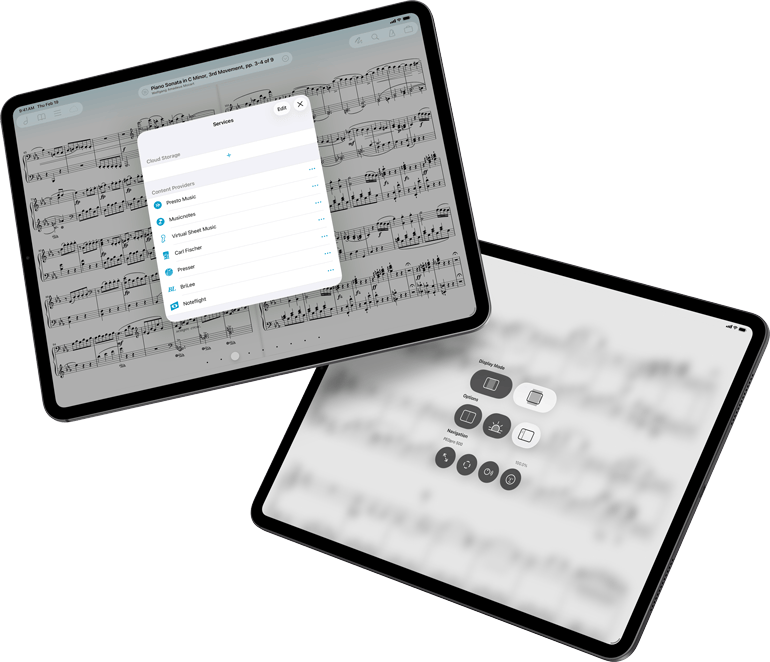
We’re back with another big update, and this time we’ve brought the whole band. Partners like Presto Music and Genki Instruments make apps like forScore even better, and this version makes it easier than ever to connect and play at your best.
Presto Music
For years, forScore has partnered with content providers to give you easier access to the high-quality digital sheet music you’ve paid for. By signing in to your account with a number of providers, you’re able to see a list of your previous purchases and download them as standard PDF files that work beautifully in forScore. You can even set up automatic downloads so that anything you buy online will be ready for you in forScore without any further action.
We’re extremely excited to be welcoming Presto Music to the growing list of content providers, and we know that our current and future shared users will benefit greatly from this convenient, deep integration. Visit PrestoMusic.com today to check out their extensive catalog of digital sheet music.
Wave
When it comes to iPad accessories, Wave by Genki Instruments is certainly one of the most original. Designed to be worn on a finger, it features several buttons that can be used to perform up to six distinct actions which are fully customizable in the Page Turners and Shortcuts section of forScore’s settings panel. Click or click and hold any of Wave’s three buttons to turn pages, access menus and tools, control audio playback, and so much more. It offers tremendous power in a discreet form factor.
Although forScore has been compatible with Wave for many years, using it required some setup via Genki Instruments’ Softwave app and relied on MIDI signals that could potentially interfere with other apps or MIDI hardware. With forScore 15.1, we’ve build direct communication into the Devices panel so you can use it right out of the box.
Accessories
The Devices panel is where you connect to compatible Bluetooth Smart accessories for use with forScore, but this panel was tucked away in Settings and keeping track of your peripherals was more difficult than it needed to be.
When you double tap the center of the page to see the Display Options overlay in forScore 15.1, you’ll now be able to access Devices with just one more tap. And, if you’ve got accessories connected, you’ll see them listed in the Display Options interface along with battery percentage, if available. This makes it easier than ever to verify your setup and check things before you start playing.

Available Now.
forScore 15.1 and all of these amazing upgrades are available now for iOS, iPadOS, macOS, and visionOS. forScore 15.1 is a free update for all existing users, available across all supported platforms at no additional charge. Get it today on the App Store, and be sure to check out our news page or use our RSS feed to follow our latest news and announcements.


for iOS & iPadOSfor macOS
for iOS & iPadOSfor macOS